Powerful Tools
Layers in Filterstorm 4 allow you to apply multiple filters to the same mask and use different blend modes to improve your images. Curves, hue/saturation, and most filters will show you a real-time preview of the change as you drag the sliders and controls. You can also get a split view previewing what a filter will change side by side with how the image currently looks.
Filterstorm's Layers have editable masks, opacity, and blending

Editing Enhanced
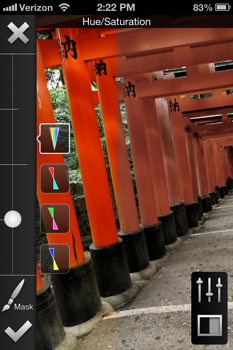
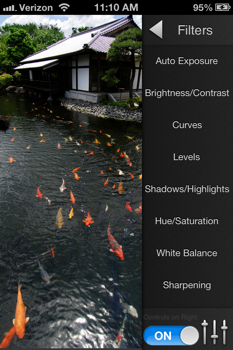
Filterstorm's interface is designed to get out of the way as much as possible so you can see what you're doing. The sliders (left image) can be dragged from any point, barely cover the image, and give you fine-tuned precision.
Hue/Saturation, Curves, and Filter Selection

Masking Mastery
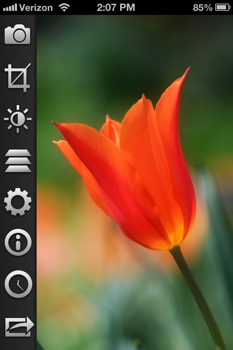
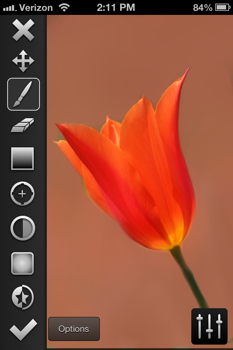
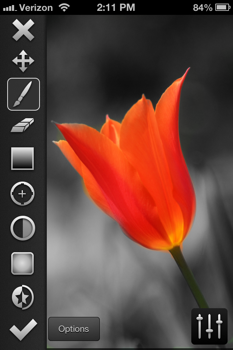
Filterstorm's selective editing abilities have always been its hallmark. Brushing, erasing, gradients, color selection, opacity, and vignetting options give you a large selection of tools to create the perfect mask.
Combine Images
You can use layers to combine images for effects like the texture used below, or simply for overlaying two images.
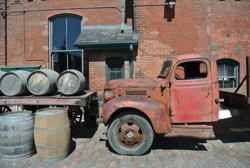
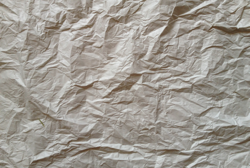
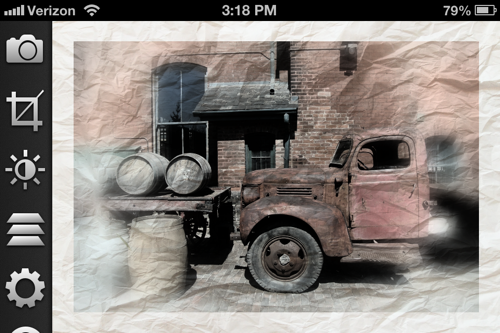
Video of layers and combining images.
Exporting Evolved
You can now export to the Camera Roll, FTP, Email, Dropbox, Flickr, Twitter, and Facebook. Furthermore, the back end and interface have been designed to be easily supplemented in the future with more export options.
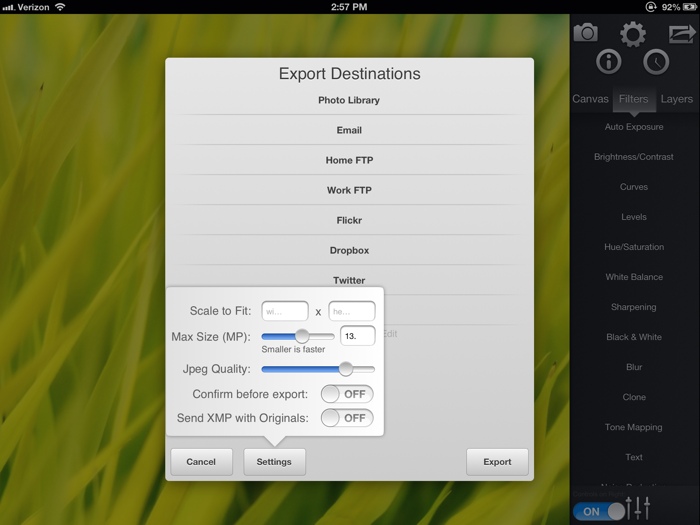
An export settings popover lets you choose the jpeg compression quality, and dimensions of your final image right at the time of export.
Features List
- Ability to apply adjustments to entire image, by brush, gradient, color range, vignette, or selecting opacity.
- Send images via Email, FTP,SFTP, Flickr, Dropbox, Twitter, and Facebook
- Layers (5 Max. When you go to add a sixth, the bottom 2 layers will automatically merge.)
- Export high-res images. Suggested max: 22MP (iPad2), 7.5BP(iPhone4), 5MP (iPad 1/iPhone3GS)
- Combine multiple images into one using layers and blend modes
- Save edits as automations to apply to other images
- Masking
- Brushes with size, softness, and opacity controls
- Gradient masks
- Color Range masks
- Alpha masks
- Vignette masks
- Curves: Luminance, RGB, Red, Green, Blue, Cyan, Magenta, Yellow
- Levels tool: Luminance, RGB, Red, Green, Blue, Cyan, Magenta, Yellow
- Brightness
- Contrast
- Color balance
- White point picker
- Temperature
- Saturation
- Text tool
- Black and white fine-tuning
- Unlimited Edit History
- Cropping, with the ability to specify aspect ratio
- Scaling/Scale to Fit
- Rotation & Image Straightening
- Add Borders
- Combine multiple exposures
- Vignetting
- Sharpen
- Tone map (Simulated HDR)
- Blur
- Noise reduction
- Add noise
- Clone Tool
- EXIF support for JPEG and some RAWs
- IPTC support
